
Built for lactation care
LATCH and IBFAT scoring, jaundice assessment, PHQ-4 and EPDS screening, and 169 lactation billing codes are built in. There are no templates to build.
Let families book their own visits
Stop texting back and forth to find a time that works. Set your available services, hours, and locations, and families book directly. Both of you get a confirmation.
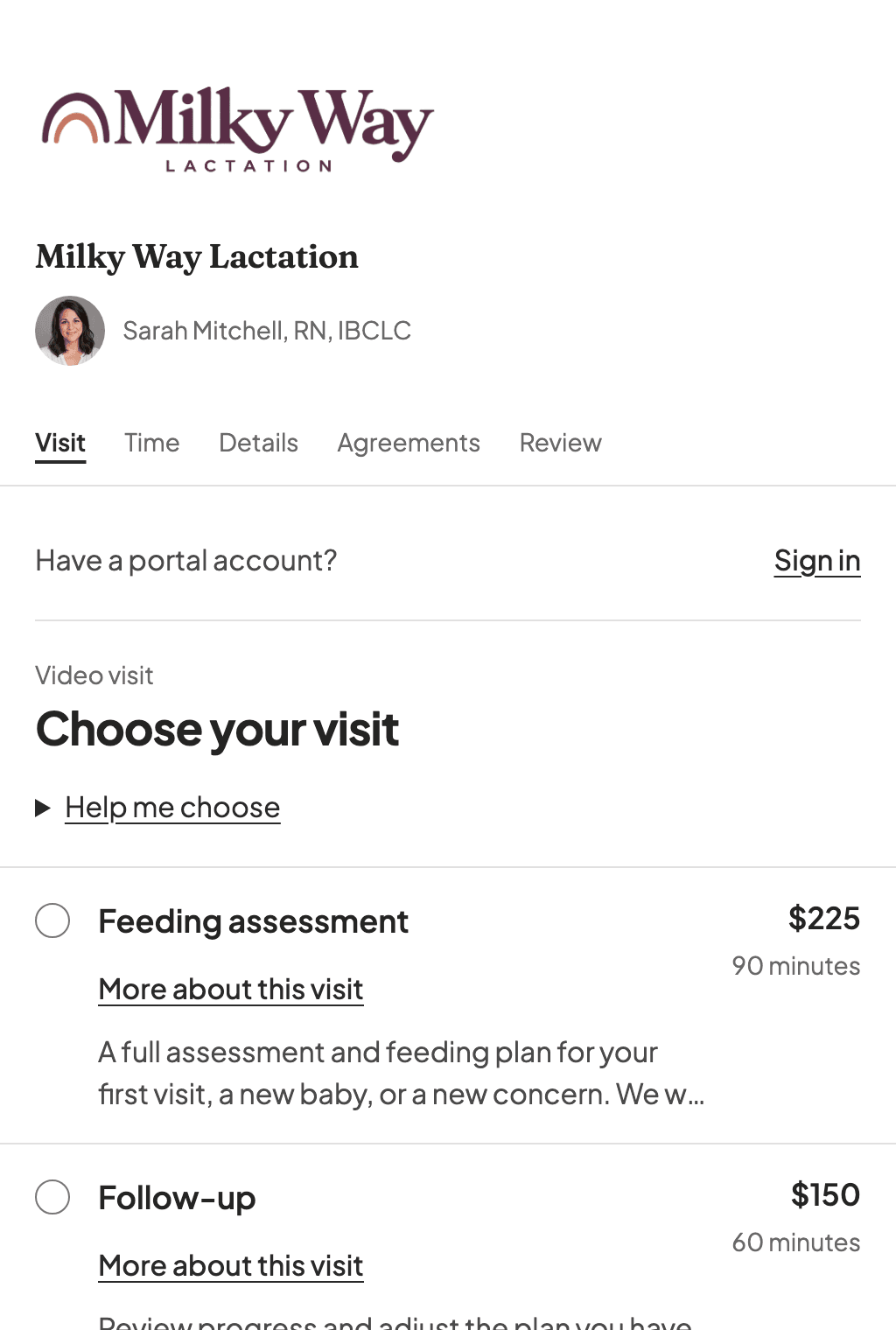
- Your own booking page with a shareable link, put it on your website or in your email signature
- Show your practice logo, and on a provider-specific link, the provider’s profile photo beside their name
- Patients see only the services, locations, and hours you have opened up
- Required consent and privacy documents can be signed during booking; Patients can complete the clinical intake in the portal before the visit
- Families paying with insurance can add their carrier, member ID, and plan while they book, so it is on the chart before the first visit
- Choose to collect the full fee or a deposit through Stripe during booking for self-pay visits
- Virtual visits automatically add a Telehealth Consent form to the booking
- New patients are added to your system automatically, then get a secure email to set up their portal and finish any remaining forms
- Confirmation emails go to both you and the family
- Set buffer time between appointments so you are not running back to back
- Patients read and agree to your cancellation policy before they can confirm, captured with a timestamp you can point to later
- See how your booking page is doing: where visitors come from (Instagram, Facebook, Google, or a direct link), what device they use, and where they stop before booking
- Get plain suggestions for what to fix, with no Google Analytics account to set up and no tracking scripts pointed at your families
Your schedule, your way
In-home, in-office, virtual. However you see families, the calendar keeps up.
- Switch between week and day calendar views on desktop, or a day-by-day agenda on your phone and tablet
- See conflicts and double-bookings before they happen
- Start a visit note directly from the appointment
- Automatic email appointment reminders, with optional text reminders when enabled and the Patient has agreed to texts
- Block off time for vacations or personal days
- Mark a block of hours as virtual only or in-person only, so Tuesday mornings can be telehealth and Thursday afternoons can be home visits. Set it on your weekly hours or on a one-off date
The full picture of every family
Patients, babies, birth details, health history, insurance. You shouldn't have to dig through separate systems for this.
- Birth and delivery records, including gestational age and complications
- Individual baby profiles with feeding method, weight, growth charts, and health notes
- Document storage for consent forms, intake, and insurance cards
- Insurance and billing info attached to the patient
- Find any patient in seconds with search and status filters
Charting that knows lactation
LATCH and IBFAT scoring, jaundice classification, structured oral and breast exams, prenatal consult notes, PHQ-4 and EPDS mood screening, feeding and return-to-work plans. Not a generic SOAP note with blanks you have to fill in yourself.
- LATCH and IBFAT assessment tools with automatic scoring and severity badges
- Jaundice assessment with visual classification, lab values, treatments, and risk factors
- Lightweight prenatal note mode for before-birth consults, education, and care planning
- PHQ-4 and EPDS postpartum mood screening built into every maternal exam
- Your own assessment tools, alongside the built-ins: define questions and score bands once, and each use is scored in the signed note, trended across visits, included on superbills, and labeled practice-defined in the record
- Flag any answer on your own assessment tools for review, the way EPDS flags its critical items: the flag shows while you chart, stays on the completed assessment, and comes back once more before you sign
- Feeding plans with supplementation protocols and pump-and-return-to-work planning
- Evidence-based clinical snippets sourced from ABM protocols — insert with one click
- Auto-save, signed immutable notes with version history, and pull-forward from previous visits
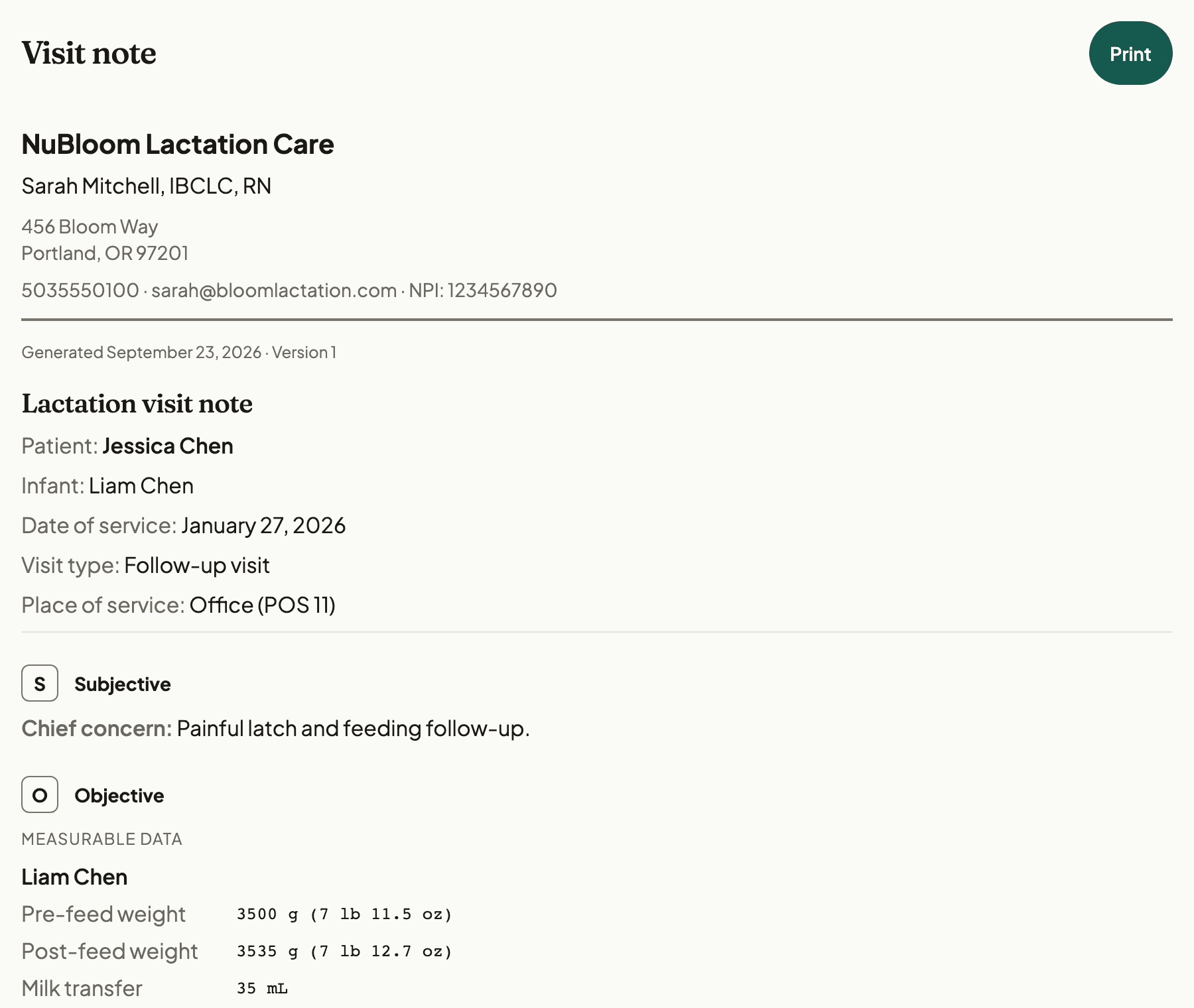
- Narrative SOAP note preview with print/PDF export for payers or referring clinicians
Look it up without leaving the chart
You shouldn't have to switch to UpToDate or dig through saved PDFs mid-visit. Common lactation conditions, lab ranges, and clinical decision support are built in.
- Condition-specific guides for tongue-tie, mastitis, low supply, jaundice, and more
- Lab interpretation tables with normal ranges and clinical context
- Decision trees that walk through differential diagnosis step by step
- Bookmark articles you reference often — they are one tap away
- Content sourced from published evidence — not crowd-sourced or AI-generated
Billing without the runaround
You already know how complicated lactation billing is. NuBloom takes you from visit note to superbill or electronic claim and keeps invoices and claims visible, so billing follow-up does not fall through the cracks.
- 169 lactation billing codes are built in: 95 ICD-10, 57 CPT, and 17 HCPCS, so you are not looking them up
- Create superbills directly from visit records in a couple of taps
- Every superbill prints with a guide for the family, in plain language, covering what to send their insurer and what to do if the claim comes back denied
- Out-of-network visits also print a ready-to-sign cover letter that makes the coverage argument for them, citing the federal preventive-care rule that applies when a plan has no in-network lactation provider
- Send invoices and always know what is draft, sent, paid, or overdue
- Send supported primary and secondary claims electronically through a clearinghouse after your team approves each one
- Manually track claims you file outside NuBloom from pending to paid or denied; tracking does not send a claim
- Offer discount codes for services and prepaid packages across online booking, the Patient portal, and staff-assisted sales
- One report for revenue, outstanding balances, and payment history
- Create itemized Good Faith Estimates for eligible self-pay Patients, with service costs, practice details, and delivery records
- Eligible online bookings can generate an estimate when coverage answers and practice setup are complete; you deliver it through the Patient portal, a secure link, or print
- Check eligibility from the chart, booking review, or Patient portal for insurers that are ready for the practice's querying NPI. A result does not guarantee coverage or Patient cost.
See the insurance workflow step by step: insurance checks, preparing and sending claims, and follow-up after a claim is sent.
Messaging that stays in the chart
Patients have questions between visits. Answer them without giving out your cell number or switching to a separate messaging app.
- HIPAA-compliant conversations tied to each patient record
- See unread messages across all your families
- Search past conversations when you need to find something
- Flag urgent messages with a reason — they surface at the top of your work queue
- Patients message you through the portal — you reply from the app
- Choose who can message your practice: open it to everyone, or limit it to families with a recent or upcoming visit, or a package that includes messaging
- Families can send a photo of a latch, a pump flange, or a diaper, and you can send one back. Photos open full screen, and the app strips location data out of the file before it ever leaves their phone
Home visits without the WiFi worry
Rural areas, hospital dead zones, spotty apartment WiFi. You've been there. Chart on the spot instead of scribbling notes to type up later.
- Save your families' charts before you head out, up to 100 by default (configurable up to 500)
- Charts for upcoming appointments download on their own 48 hours ahead
- Create and edit draft notes without a connection
- Everything syncs automatically when you are back online — no manual step
- Local database encryption is available when configured
- Same app on your phone, tablet, or laptop
One screen for everything on your plate
Unsigned notes, unread messages, pending claims, open tasks. Instead of checking four different places, check one.
- See unsigned visit notes and take care of them right away
- Track insurance claims from pending to paid or denied, and reopen them
- Manage tasks, reminders, and document signing deadlines
- Snooze things you can't deal with right now
- Know exactly what's left at the end of the day
A portal your patients will actually use
A branded welcome, growth charts, messaging, intake forms, packages, and billing. Families handle the routine stuff on their own, and your practice looks good doing it.
- Greet families with a practice welcome, optional provider note, and YouTube/Vimeo intro video
- Show your practice name and optional logo on Patient sign-in pages reached from your practice links
- Use safe Markdown for links, lists, headings, and callouts without exposing raw HTML
- Parents track their baby's growth with WHO percentile charts between visits
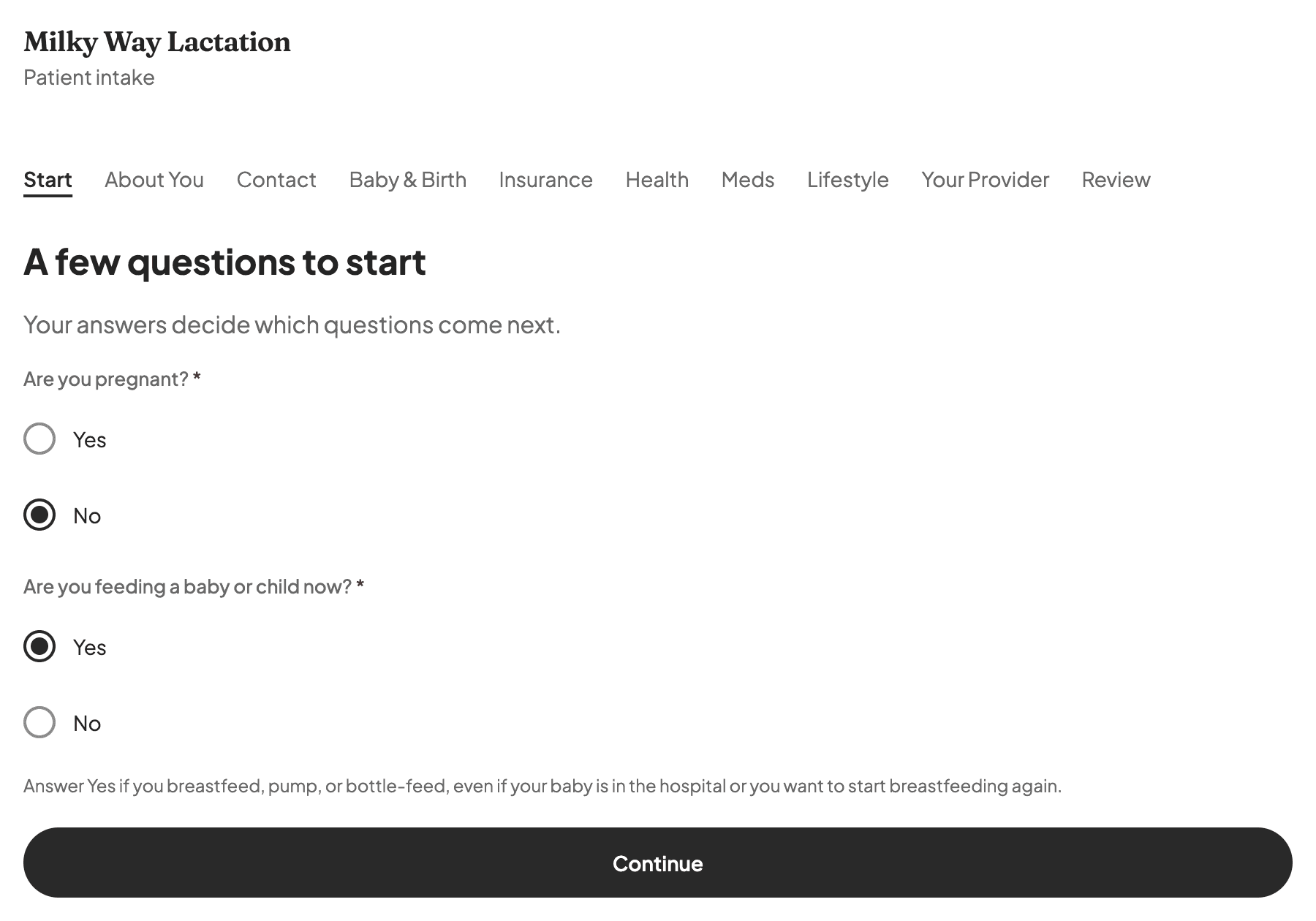
- Patients can complete a built-in lactation intake in the portal and sign required documents before the visit
- Intake follows pregnancy, feeding, and new-baby updates, showing questions for each Patient’s answers
- Add your own intake questions for the things you always ask: families answer them with the rest of intake, and you can pull any answer into the Subjective section of your visit note
- Forms signed during online booking are recorded automatically, so returning patients who already signed the current version are not asked again
- You see who signed, when, and whether they signed from the portal or in your office
- Families can reopen the signed forms on file for them and save a copy. They see the text they agreed to at the time, even if you have changed the form since
- Secure messaging so they can reach you without your personal number
- View upcoming appointments and book new visits through the booking page
- Invoices and payment history they review and pay on their own, plus prepaid-visit balances
- Works on their phone, no app download needed
- You control exactly which sections families can see
Your forms, in your words
Every practice needs consent and intake paperwork. NuBloom comes with the essentials and lets you build the rest, or start from a Word file you already have.
- Start with seeded essentials: Intake and Lactation Care Consent, Notice of Privacy Practices, and Telehealth Consent
- Build your own templates: write the text, format it with headings and lists, and add the fields patients fill in
- Start from a file: import an existing Word (.docx) document in your browser and it becomes an editable draft
- Collect a typed signature or a simple acknowledgment of receipt, whichever the form calls for
- Decide where each form is collected: before booking, in the portal afterward, or from the chart
- Every signature is recorded with who signed, when, and whether they signed online or in your office
Know how your practice is doing
Stop guessing whether your practice is profitable. See the real numbers without maintaining a spreadsheet.
- Run seven reports for visits, Patients served, documentation, appointments, payments and claims, data checks, and intake answers
- Save private report views with your period, provider, grouping, and filters
- Compare completed periods and filter by the details that matter to your practice
- Export reports as CSV for spreadsheets or PDF to print and share
- See booking-page traffic sources and where visitors leave before booking in a separate funnel report
Growth charts that speak your language
Plot weight, length, and head circumference on WHO standard curves and see where each baby falls. No separate spreadsheet, no manual percentile lookup.
- WHO weight-for-age, length-for-age, head-circumference-for-age, and weight-for-length charts
- Automatic percentile calculations using the LMS method, adjusted for preterm corrected age
- Full measurement history with date, value, and percentile in one table
- Edit or add measurements right from the growth tab
- Parents see their baby's growth chart in the patient portal
- Weighted feed tracking with gram and ounce unit support
Video telehealth built into the visit
In-home, in-office, or on a screen. Create a virtual appointment, join the NuBloom video room from the visit, and keep charting in the same workflow.
- Start a managed NuBloom video visit from the linked appointment
- Send the patient join link by email or text from the visit
- Keep the chart open while the call runs in its own tab
- See whether the family has joined before you start the consult
- Works alongside in-person appointments, mix visit types as needed
- Use your own external video link when a visit needs a different room
Get paid without chasing anyone
No more Venmo requests, lost checks, or "I'll bring it next time." Patients pay through the portal or from a payment link you send. Money goes to your bank account.
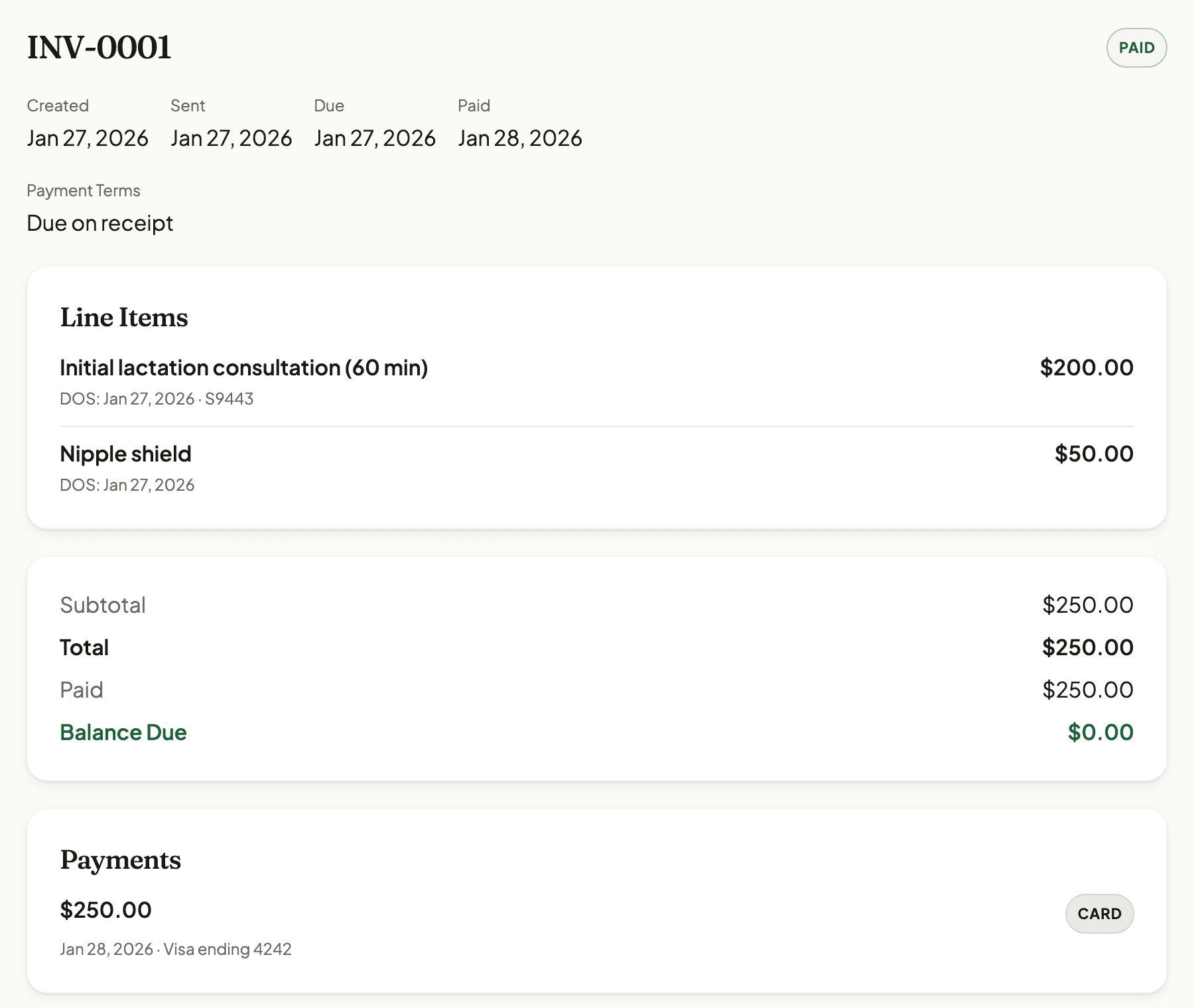
- Patients see a "Pay Now" button on every open invoice in their portal
- Hit send and the invoice goes out by email right away with a pay link, and by text too when the family has opted in
- That emailed link keeps working for the life of the invoice, so a family who opens it on Sunday can still pay on Thursday
- Re-send a sent invoice any time without changing its status, for the family who swears it never arrived
- An invoice that passes its due date turns overdue on its own, and the family gets a reminder every three days, up to three times, then it stops
- Copy a payment link to send over text, email, or wherever the family prefers
- Collect payment at booking instead of chasing it after the visit, take the full fee or a deposit set per service as a percentage or a flat amount, and self-pay families pay through Stripe while they schedule
- Money goes to your bank account through Stripe, nothing passes through us
- Connect your Stripe account in a few minutes from practice settings
- Payments update automatically on the invoice, no manual reconciliation
- Collect a no-show or late-cancel fee when your policy allows by sending the patient a secure Stripe payment link, with no card kept on file
Home visits only where you actually drive
You don't serve every ZIP in the metro. Tell NuBloom where you travel, and your booking page stops sending you visits that are 50 minutes each way.
- Build your service area by pasting ZIP codes, or generate them from a radius around your home base at 10, 25, 50, or 100 miles, or any distance you set
- Check your coverage on a map before you save, with a radius circle and a dot for every ZIP, so you can drop the ones too far to reach
- Decide what happens to out-of-area families: send them to you for review, or keep them from booking a home visit at all
- Set a different area for each provider or service, so people only get the visits they actually cover
- Only home visits are affected. Virtual and in-office booking are never restricted
- Patients enter their address during booking. It is used to check coverage and never appears in emails or goes to anyone else
Free tools and guides
Resources built for IBCLCs in private practice.
See if it fits how you work
Try NuBloom free for 14 days. Setup takes a few minutes, and you can bring your own templates or use ours. No credit card needed.
Want to talk to the founder first? Book a call