
Booked, charted, and paid.Without the after‑hours busywork.
Practice software built for lactation consultants, from online booking to superbills.
Free for 14 days · No credit card
Try a booking
Sample practice · nothing is booked
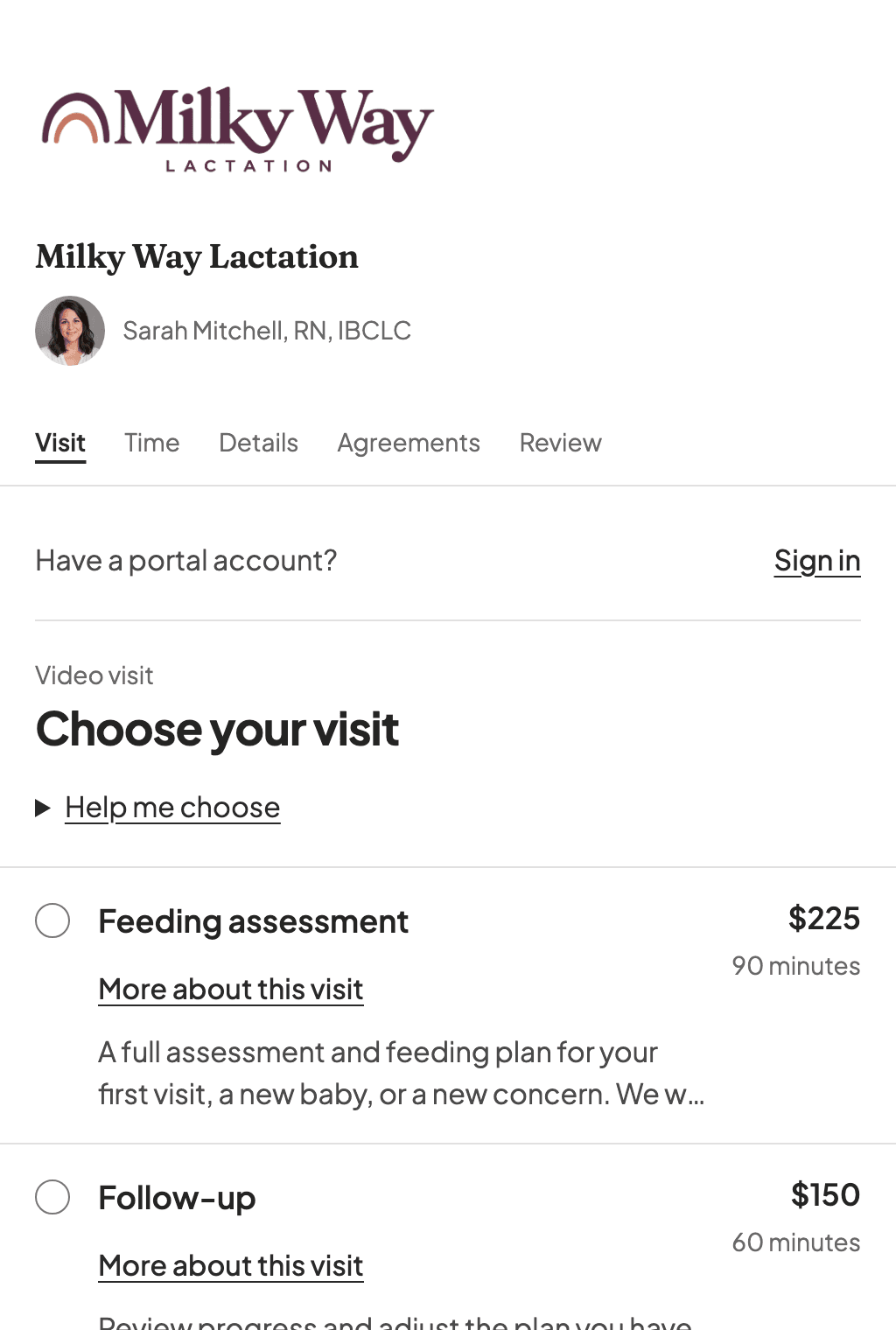
Choose a visit, pick a time, and finish with sample details. Open larger.
Patient intake
A lactation intake you don't have to build
Built-in questions follow each Patient’s situation: pregnancy, feeding a baby or older child, or getting ready to make milk. Returning Patients can update their answers for a new baby.
- Questions about birth, feeding, and health history are ready from the start
- Contact details from booking and saved chart answers are filled in when available
- Answers save as Patients go, so they can stop and finish later
- Add your own questions, with follow-ups that appear after certain answers
- Review submitted answers on the chart and bring them into the visit note with who gave them and when
Try the intake
Sample practice · nothing is saved
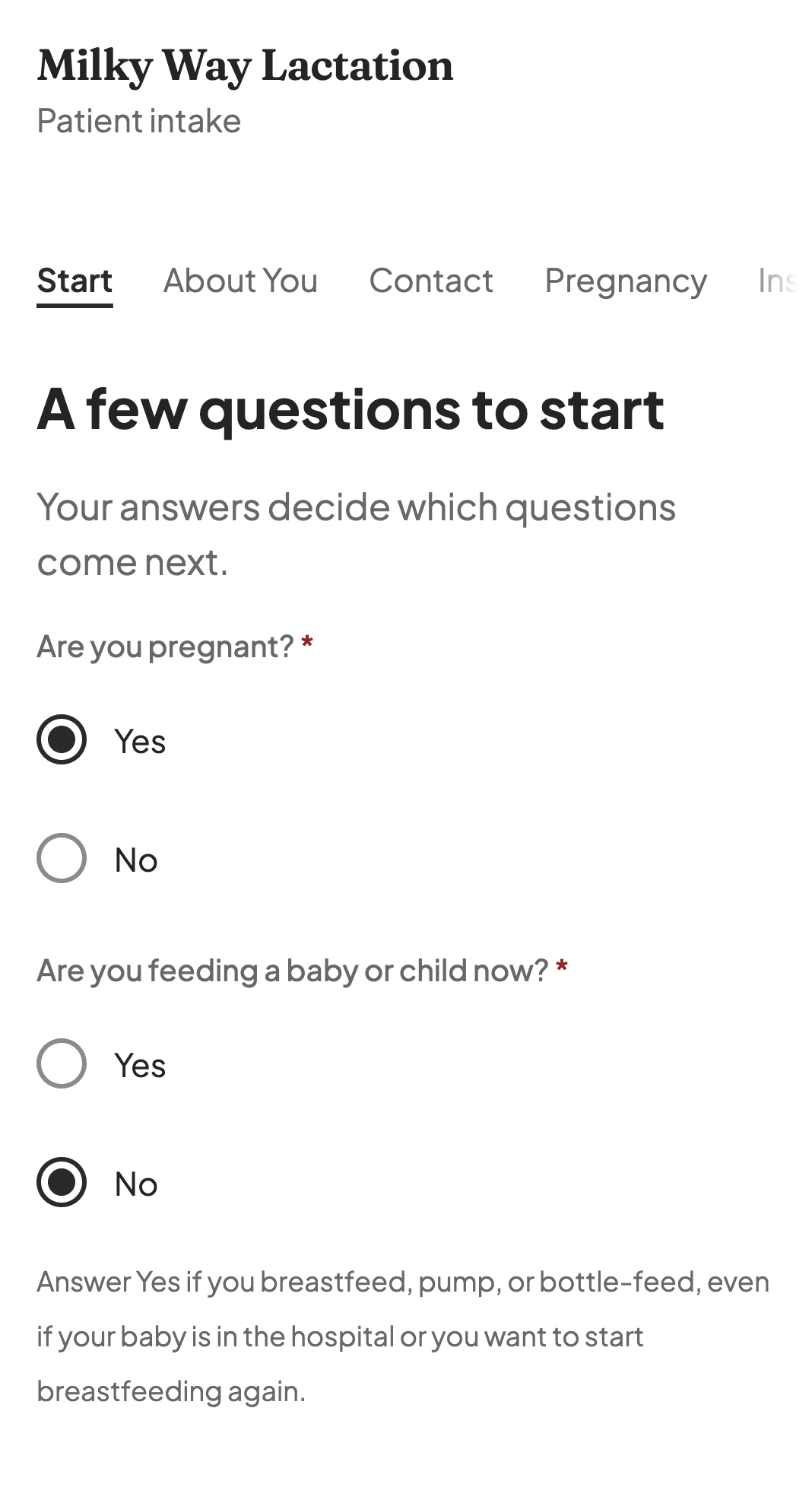
Answer as an expecting parent. Pregnancy questions take the place of the birth questions. Open larger.
Sound familiar?
Four workarounds you shouldn't still be dealing with.
Charting at 10 PM
You finish home visits at 5, then spend the evening retyping paper notes into your EHR.
Chart during the visit. Skip the paper step entirely.
Superbills by hand
You copy CPT and ICD-10 codes into a Word doc because your system can't generate superbills.
Superbills pull codes straight from the visit. Print or send, done.
The payment spreadsheet
You track invoices and balances in a spreadsheet you're terrified of accidentally deleting.
Invoices, online payments, and balance tracking in one place. The spreadsheet can retire.
The signal dead zone
You're mid-chart at a patient's home when your phone drops to no bars. Did anything save?
Works offline. Charts save locally and sync when signal comes back.
From booking to payment
Booking, the visit note, and the invoice, shown in the current app with sample data.
Patients know when and where to come
Families choose from your availability and receive a confirmation with the visit details. Required forms can follow through the Patient portal.
Explore online booking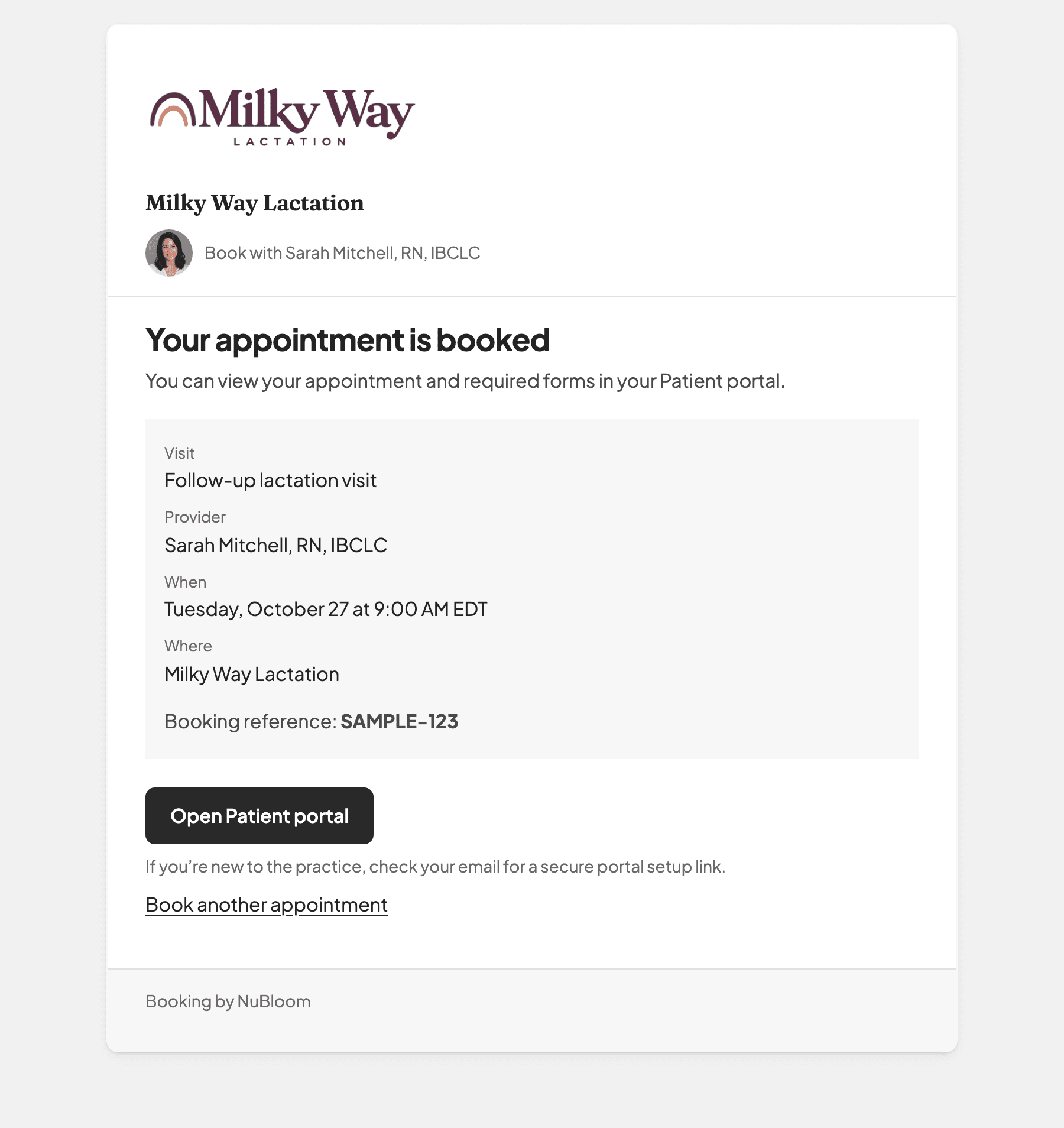
Chart the feeding visit
Record LATCH, feeding observations, and the plan in the same chart. Review the note, then sign it.
Explore lactation charting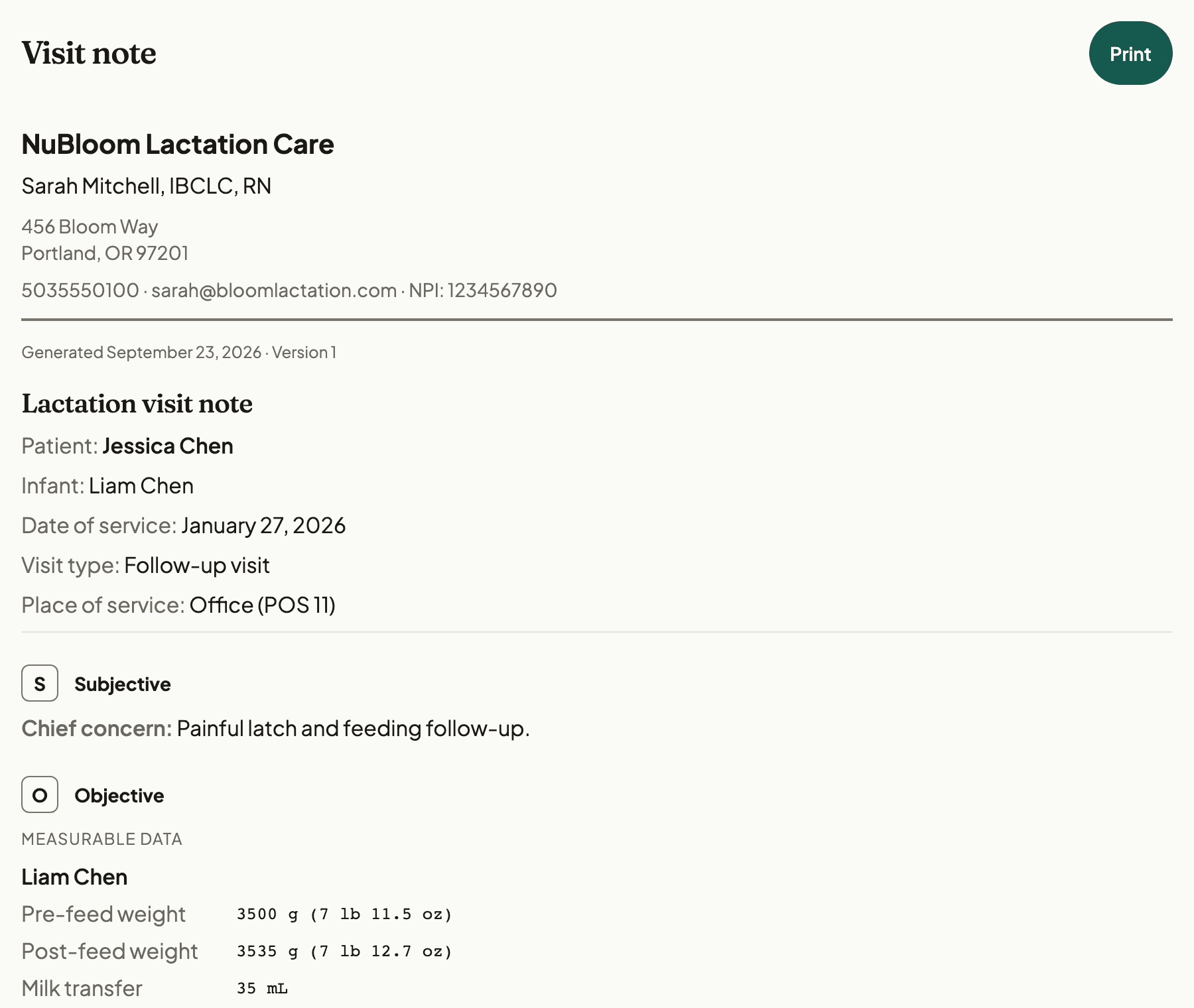
Close the loop on payment
Send an invoice with a payment link and see when it is paid. Create a superbill from the visit when needed.
Explore billing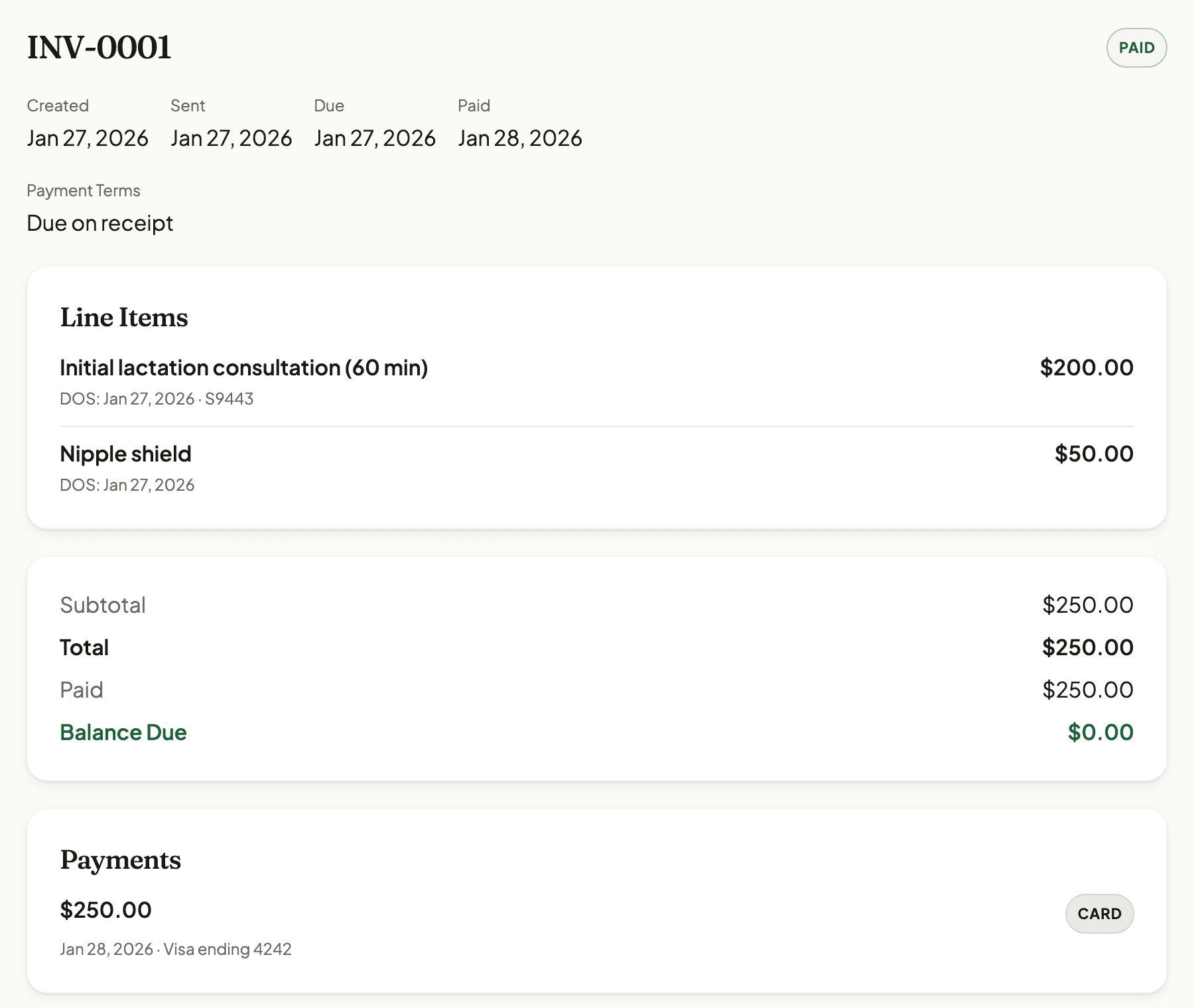
Working with other providers? See team pricing.
Everything a lactation practice runs on
Get booked
Fill your calendar without the phone tag.
Your schedule, your way
See your week or day on a calendar, or your whole agenda at a glance. Set your own office hours, manage multiple locations, and track where each appointment stands.
Let families book their own visits
Share your booking link and patients pick a time from your real availability. Required forms are signed during booking, payment can be collected up front, and confirmation emails go out on their own.
Home visits only where you travel
Set the ZIP codes you serve by typing them in or generating them from a radius around your home base. Your booking page offers home visits only to families inside that area, and routes everyone else to review.
Stop texting from your personal phone
Patients reach you without getting your cell number, and you choose who can. Every conversation is HIPAA-compliant, tied to the chart, and searchable when you need it later.
Chart it fast
Built for lactation, finished before you leave.
Charting that fits lactation
LATCH and IBFAT scoring, jaundice assessment, oral exams, prenatal notes, postpartum mood screening, feeding and pump plans. Structured for how IBCLCs actually chart, not adapted from a generic SOAP note.
The full picture of every family
Birth history, baby records, feeding details, health background, insurance, documents. All on one screen, no more flipping between tabs.
Look it up without leaving the chart
Condition guides, lab interpretation, decision trees, and galactagogue references. Evidence-based, searchable, and available offline on home visits.
Growth charts that speak your language
WHO weight-for-age, length-for-age, head circumference, and weight-for-length charts with automatic percentile calculations. Track every measurement over time.
Video telehealth built in
Create a virtual appointment, open the NuBloom video room from the visit, and send the family a patient join link without setting up a separate call.
Works on home visits with no signal
Chart in the living room, not in your car after the visit. Pin your families before you leave, work offline, and everything syncs when you're back online.
Get paid
From visit note to money in the bank.
Billing without the dread
Stop chasing payments and second-guessing codes. Superbills pull from your visit notes, approved claims go out electronically, invoices track themselves, and you always know what's outstanding.
Get paid without chasing anyone
Connect your Stripe account and patients can pay invoices right from the portal. You can also copy a payment link and send it over text or email.
Bring on your team when you’re ready
Start solo. Add providers, interns, or billing staff later. One shared patient base, role-based access, and simple per-seat pricing.
Built for HIPAA from day one
- Encrypted at rest and in transit
- BAA available
- Audit logging
- 15-minute auto-lock
One plan, no feature tiers
Usage-based SMS ($0.05 for each text past 200 a month), insurance checks ($0.75 for each completed check), and claim filing ($1.25 for each claim the clearinghouse accepts) are separate.
From
$49/month
billed annually
- 14-day free trial
- No credit card required
- Prepaid service packages included
Billing and read-only staff are always free.
Switching from another tool?
See how NuBloom compares to the software IBCLCs use most.
NuBloom vs PracticeQ
General practice management with forms and clearinghouse integrations
NuBloom vs SimplePractice
General practice management with tiered pricing and electronic claims
NuBloom vs MilkNotes
Lactation-specific software with a lower-priced Starter plan
NuBloom vs Jane App
Allied-health platform with a large chart-template library
NuBloom vs Healthie
Health and wellness software with nutrition and program tools
NuBloom vs Practice Better
Wellness software with programs, journals, and practitioner tools
NuBloom vs Mobile Lactation Consultant
Lactation-specific software for iPhone and iPad
Common questions
The short answers to things people ask before signing up.
Yes. You can try NuBloom for 14 days with no credit card. Sending claims is not part of the trial; it needs an active paid subscription. If it works for you, pick a plan. If not, no hard feelings.
Yes. You can book a short video call with the founder to ask questions or walk through how NuBloom would work for your practice. Click Book a call in the menu to pick a time.
Your subscription includes the first billable seat. Each additional owner, admin, provider, or intern seat is $39/month (or $33/month on annual billing). Billing and read-only team members are always free.
NuBloom signs a business associate agreement with every practice. Patient data is stored on Google Cloud under its business associate agreement and encrypted in transit and at rest. Local database encryption is supported when an encryption key is configured. The app auto-locks after 15 minutes of inactivity and supports biometric unlock on mobile. Owners and admins can see who changed what and who opened which chart.
Yes. It runs in your browser, so there’s nothing to download. It works online on phones, tablets, and laptops. Offline charting is available in supported browsers when offline mode is enabled for your practice.
See if it fits how you work
Try NuBloom free for 14 days. Setup takes a few minutes, and you can bring your own templates or use ours. No credit card needed.
Want to talk to the founder first? Book a call